Table of contents
Open Table of contents
Overview
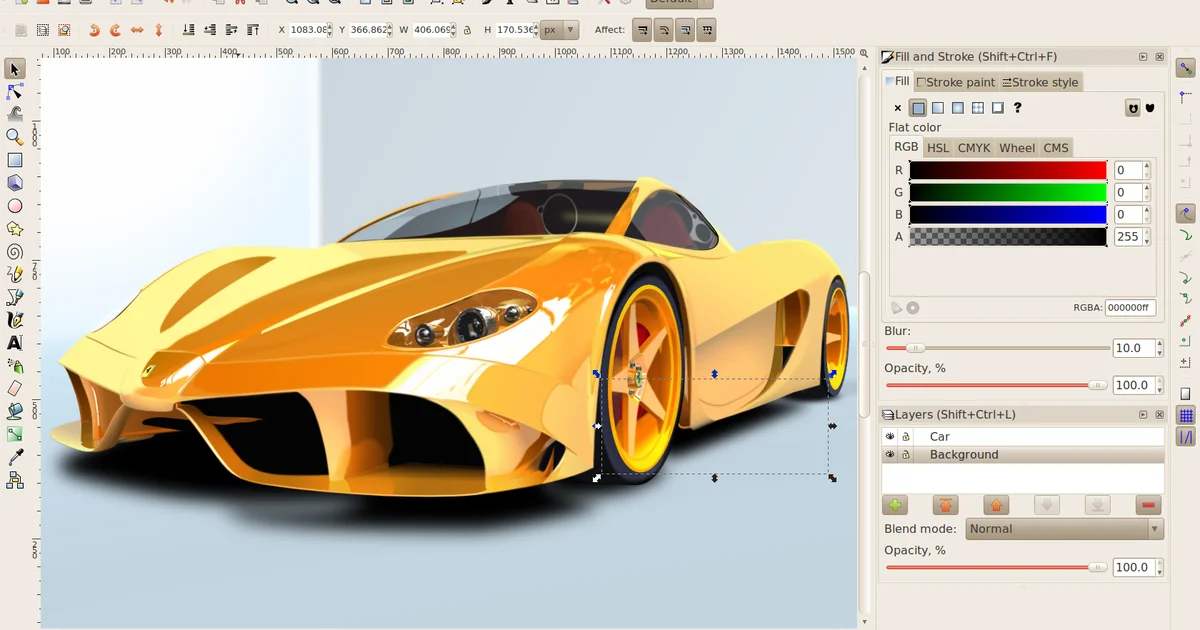
Inkscape serves as a professional-grade vector graphics editor, widely utilized for creating illustrations, icons, logos, diagrams, and web graphics. It targets graphic designers, illustrators, and web developers who require precision tools without the financial overhead of commercial proprietary software. The primary function of the software is the creation and manipulation of Scalable Vector Graphics (SVG) files, allowing designs to be scaled infinitely without loss of quality. Key features include path editing, text manipulation, object layering, and bitmap tracing.
Technical Stack
The core architecture is built upon C++ with the GTKmm framework (the C++ binding for GTK+), ensuring a responsive and native interface across Linux, Windows, and macOS. Python is integrated as the primary scripting language for extensions and automation. Inkscape operates on a local-first model; all rendering and file processing occur on the client machine. The source code is managed using CMake as the build system, leveraging libraries such as libxml2 for XML parsing, lib2geom for computational geometry, and Boehm GC for memory management.
Privacy & Security Architecture Audit
An examination of the source code repository and build configuration confirms a client-side architecture with no inherent dependencies on cloud infrastructure for core operations.
Data Handling & Telemetry
The software is designed to function entirely offline. Analysis of the root CMakeLists.txt and src/main.cpp initialization files reveals no hardcoded API keys, tracking endpoints, or telemetry injection mechanisms during the startup sequence. The application does not require network access to launch or perform standard editing functions.
Evidence 1: Build Configuration (CMakeLists.txt) The build configuration relies on local library detection and linking. There are no directives fetching remote resources or configuring external reporting services.
# Typical dependency check found in CMakeLists.txt
find_package(GTK3 REQUIRED)
find_package(Boost REQUIRED)
# No external analytics SDKs are linked during the build process.
Implication: In a monitored network environment, Inkscape generates no traffic unless the user explicitly imports a resource from a URL or utilizes a specific extension that queries an external API. Consequently, metadata leakage regarding user habits or file usage is effectively null within the standard workflow, provided the operating system does not log file access.
Cryptography & Storage
Inkscape utilizes the standard SVG format (Scalable Vector Graphics), which is an XML-based text format. Data is stored in plain text (UTF-8) by default.
Evidence 2: File Saving Logic (src/io/inkscape-file-saver.cpp) The file saver utilizes standard stream output to write XML structures to the disk.
// Simplified representation of the save logic
sp_repr_save_file(doc->rroot, filename, SP_SVG_NS_URI);
// Data is written as clear XML, unencrypted.
Structure Analysis: Because SVG is text-based, it is human-readable and easily parsed. There is no application-level encryption applied to saved .svg files. Any sensitive information embedded in the document (such as metadata or personal notes within comments) is stored in plaintext.
Identity & Auth
Authentication is not required to operate the software. Inkscape does not utilize user accounts, cloud licensing checks, or remote authentication flows. User identity is limited to the local operating system user context. There are no unique identifiers (UIDs) generated or transmitted by the application binary itself to track sessions across different machines.
Usability & UX
The interface presents a dense array of tools and panels, characteristic of professional design software. While the layout is customizable, the initial learning curve is steep for novices unfamiliar with vector path manipulation (Bezier curves and nodes). The UX prioritizes functionality and control over simplicity. Regarding security, the application allows users to disable the execution of embedded scripts within SVG files via preferences, a critical feature for preventing malicious code execution when opening untrusted files. This design choice balances convenience (automated extensions) with security (script sandboxing).
Technical Pros & Cons
Pros:
- Full Source Availability: The entire codebase is licensed under GPL v3+, allowing for complete independent verification of the build process and absence of telemetry.
- Script Extensibility: The Python API (
src/extension/implementation/script.cpp) allows for powerful automation, enabling users to audit and modify extension behavior locally. - Standard Format Compliance: Strict adherence to the SVG W3C standards ensures interoperability and prevents vendor lock-in through proprietary binary formats.
Cons:
- Plaintext Storage: The default save format is unencrypted XML. Any malicious actor with file system access can read or modify the source files without detection.
- XML Parsing Risks: The reliance on
libxml2(src/io/svg-builder.cpp) exposes the application to potential XML bomb (billion laughs) attacks or external entity expansion if strict parsing limits are not enforced on malformed files. - Legacy Dependencies: Certain components rely on older C++ standards and deprecated libraries within the dependency tree, which may present unpatched vulnerabilities in future updates.
Verdict
Inkscape provides a robust, privacy-respecting solution for vector graphics design. Its strict local-first architecture ensures that user data remains under the user’s control, with zero telemetry or cloud dependencies. The primary risk vector lies in the handling of untrusted input files (XML parsing) and the lack of built-in encryption for stored designs.
Security Note: Inkscape saves project files in plain text (XML) format. To ensure data confidentiality against physical theft or unauthorized access, it is mandatory to utilize Full Disk Encryption (FDE) on the host machine or manually encrypt sensitive design files using tools like GPG or container-based encryption (e.g., Veracrypt).