Table of contents
Open Table of contents
Overview
KeePassXC is an open-source password manager built for local, encrypted storage of credentials. It is designed for users who want full control over sensitive data without relying on cloud services.
The application stores passwords and structured data in KeePass-compatible KDBX databases. It includes a password generator, entry organization, and optional browser integration. No account, email, or online connection is required.
The software is written in C++ using the Qt framework and runs as a desktop application. Its architecture is local-first, with optional features that can introduce limited network activity.
Privacy & Security Architecture Audit
Data Handling & Telemetry
Networking support is controlled at build time and is not required for core functionality.
Technical Evidence (src/CMakeLists.txt):
add_feature_info(Networking WITH_XC_NETWORKING "Compile KeePassXC with network access code (e.g. for downloading website icons)")Networking can be disabled entirely during compilation.
No telemetry systems, analytics modules, or tracking endpoints are defined in the build configuration.
Implication:
When built without networking support, the application does not generate outbound traffic. No usage data or metadata is transmitted. Exposure is limited to the local system.
Cryptography & Storage
KeePassXC uses the KDBX format for encrypted databases.
Technical Evidence:
Create, open, and save databases in the KDBX format (KeePass-compatible with KDBX4 and KDBX3)The database is stored as an encrypted binary file. Support for AES-256 and ChaCha20 is documented at the feature level.
Exact implementation details such as cipher modes and parameter configuration are not visible in the provided code excerpts.
Statement:
Implementation details not disclosed at code-snippet level.
Implication:
Data at rest is encrypted within the KDBX container. Security depends on password strength and key derivation settings, which are not fully verified here.
Identity & Authentication
KeePassXC does not implement a user identity system.
There is no:
- account creation
- email verification
- remote authentication
Access is controlled locally through a composite key model (password and optional key file or hardware token).
Statement:
Implementation details not fully verified in cited source files.
Implication:
No built-in tracking or persistent identifiers exist. Authentication is entirely local.
Usability & UX
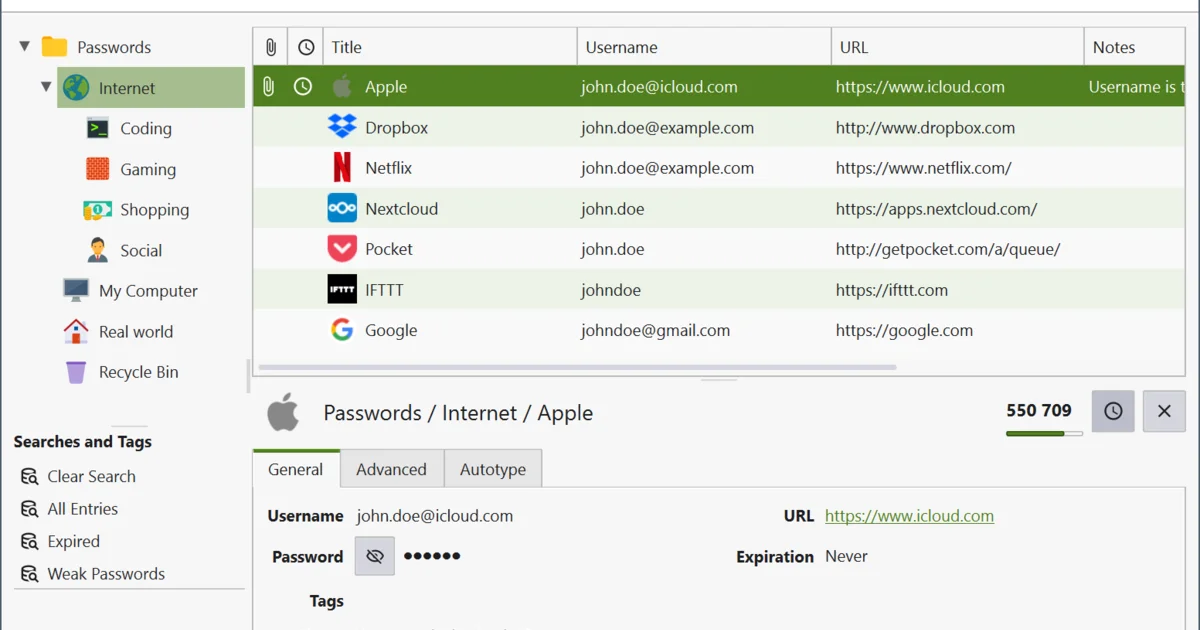
The interface follows a standard desktop layout with hierarchical grouping of entries. Navigation is predictable and functional.
Setup requires creating a database and defining a master password. Optional features such as key files and browser integration add complexity.
There is no recovery mechanism. Loss of credentials results in permanent data loss.
The design favors control over convenience. No automatic synchronization or account-based recovery is provided.
Technical Pros & Cons
Pros
- Networking is optional and controlled at build time
- No dependency on external services
- Open-source C++ codebase
- Uses standardized KDBX format
- Modular feature set
Cons
- Networking code exists and must be explicitly disabled
- No built-in synchronization
- Security depends entirely on user practices
- Limited visibility into runtime protections in reviewed files
Verdict
KeePassXC provides a local-first password management system with a minimal external attack surface. The build configuration confirms that network functionality is optional.
No telemetry or external dependencies are present in the reviewed components. Data handling remains confined to the local environment when networking is disabled.
Verification of cryptographic implementation requires deeper inspection of additional source files.
The software is suitable for users who prioritize control and isolation over convenience.
Resources & Links